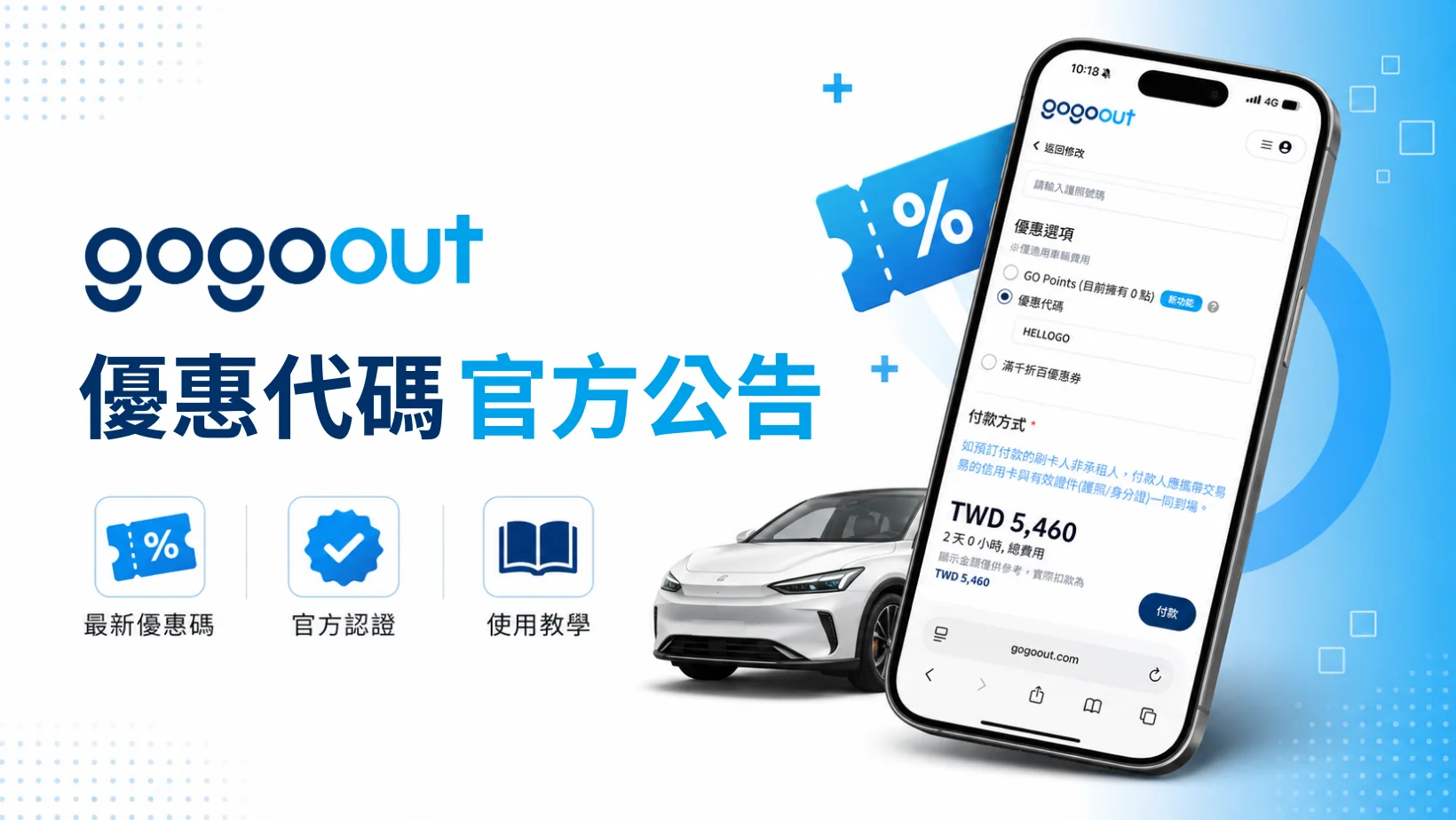
This is the official gogoout promo code page. It lists the codes currently available, who can use them and how to enter them, and it shows the official channels where codes are released, so you don’t have to hunt for discount information on other sites or risk using an incorrect code circulating unofficially.
| Latest promo codes for September | Discount | Who can use it | Requirements | Valid until |
|---|---|---|---|---|
| SNOWDRIVE | 5% off the order total | All members | Valid for rentals starting on or after February 1, 2027 | 2026/10/11~ 2026/10/31 |
| HELLOGO | NTD 100 off orders of NTD 3,000 or more | New members renting for the first time | Order total of NTD 3,000 or more | 2026/09/01~ 2026/12/31 |
Winter 2026 early bird deal
SNOWDRIVE
2026 new member car rental promo code
HELLOGO
內容目錄
How to use a gogoout promo code
How to enter it on the website
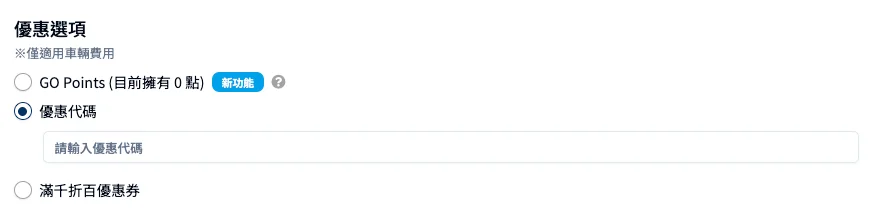
Here’s how to use a gogoout promo code on the website:
- Log in to your member account
Log in to your gogoout member account, search for and select the car you want to rent, then go to the rental confirmation page.
- Find the promo code field
In the discount options section of the rental confirmation page, find and select the “Promo code” field.
- Apply the promo code
Paste in the code provided on this page (we recommend using the “Copy code” button next to it to avoid typos). Once it’s pasted correctly, the system applies the discount automatically.
- The system applies the discount
Once applied, the screen shows the discounted total. If it says the code can’t be applied, see the FAQ below, “Why isn’t my code working?”
- Complete payment
Check that the amount is correct, then finish the payment steps.
How to enter it in the app
- Open the gogoout app, log in to your member account, choose the car you want to rent, and start the booking process.
- Go to the payment page, then find and select the promo code field.
- Paste in the code. The system applies it automatically and the discount shows on screen right away.
- If the code won’t apply, first check for extra spaces, or see the FAQ below, “Why isn’t my code working?“
- Check that the discount is correct, then complete payment to finish your booking.
Promo code rules
1. Only one promo code per order
gogoout promo codes can’t be stacked, and each order can have only one code applied. If you qualify for two codes, pick the one that gives you the bigger discount, and double-check the code name before entering it.
2. Promo codes can’t be combined with GO Points
You can use either a promo code or a GO Points discount, but not both on the same order, so compare the amounts and decide which one works better for you.
3. You need to be logged in to use a promo code
Promo codes are tied to your member account, so you need to log in to gogoout before you can enter a code on the rental confirmation or payment page. If you’re not logged in, the system can’t verify your eligibility and the discount won’t apply.
4. Watch out for extra spaces and incorrect capitalization when entering a code
The code field is matched exactly: one extra space or a different upper/lowercase letter makes the system read it as a different string and the code won’t apply. We recommend using the “Copy code” button next to the code and pasting it, so you don’t type it by hand or carry over extra spaces when copying from another page.
Statement on official distribution channels
gogoout promo codes are only distributed through the following official channels:
- The gogoout official website and official blog
- The gogoout official newsletter
- Official gogoout social media accounts (Facebook, Instagram)
- Selected e-commerce and banking partners
gogoout has not authorized any third-party coupon site to publish promo codes. If you see a gogoout code on another website that isn’t listed on this page, it was not issued by gogoout and we can’t guarantee that it works.
Other ways to save on car rental besides promo codes
1. GO Points rewards
Besides promo codes, every gogoout rental earns GO Points based on how much you spend, and the points you collect can be applied directly to the rental fee on your next booking. For the full earning rates and redemption rules, see gogoout GO Points: how points are earned and redeemed.
2. Refer-a-friend bonus
Invite a friend to sign up and complete their first rental, and you both receive a referral bonus. For eligibility and how the bonus is issued, see gogoout refer-a-friend bonus: eligibility and how it’s issued.
3. Occasional member-only codes
Once you register as a gogoout member, you may receive limited-time promo codes from time to time. These codes are not published on this page and are sent only by newsletter, on an occasional basis. Sign up for a free gogoout account and catch these limited-time promo codes.
4. Compare prices across suppliers
gogoout brings together real-time quotes from multiple car rental companies, and comparing prices before you book is another common way to save: compare real-time prices from multiple car rental companies on gogoout.
gogoout promo code FAQ
On the website, you’ll find the “Promo code” field in the discounts section of the booking confirmation page; paste the code and the system applies it automatically. In the app it works the same way: enter the code in the promo code field and wait for the system to apply it. Once it’s applied, the discount amount appears on screen right away.
The most common reasons are an extra space or a capitalization error when entering the code, an expired code, not being signed in to your member account, or a booking that doesn’t meet the code’s conditions (for example, a code valid only on a first rental).
We recommend pasting the code with the “Copy code” button next to it and checking that you’re signed in and that your booking qualifies. If it still won’t apply, contact our customer service team for help.
No. gogoout promo codes can’t be stacked, and only one code can be entered and applied per booking. If you qualify for two codes, choose the one that gives the bigger discount and check that you have the right code name before entering it.
Yes. The winter early-bird code WINTERGO must be entered by September 30, 2026 and is valid only on rentals starting on or after January 1, 2027. The new member welcome code HELLOGO is available through December 31, 2026.
No. Once you cancel, the promo code you used is not returned or restored. That said, the codes currently have no usage limit, so you can enter them again on another eligible booking later (some promo codes are single-use and cannot be returned once used).
Yes. gogoout promo codes aren’t limited by region, so you can enter the codes announced on this page during the booking process for overseas rentals and get the discount. The steps are exactly the same as for rentals in Taiwan, with no extra restrictions.
We don’t recommend it. gogoout has not authorized any third-party coupon site to publish promo codes, and codes on those sites may already be expired, apply under different rules, or not correspond to any real discount at all. Please go by the codes and rules announced on this page, and contact official customer service if you want to verify whether a code is genuine.
Yes. The new member welcome code HELLOGO can be used once, on the first rental booking after you register. If your account already has a completed rental, that booking no longer counts as your first, so the code can’t be applied; keep an eye on the other ongoing codes on this page instead.
No. Promo codes are entered online when you complete your booking, and the discount is already reflected in your booking total. At pickup you only need to show your booking details to collect the car. There’s no need to show, print or provide the promo code itself.
Take your promo code and rent a car in these destinations!
- [Okinawa car rental guide] Recommended companies, price comparison and self-drive tips, all in one post!
- 2026 Jeju Island car rental guide: price comparison, insurance explained and tips to know!
- [Taipei car rental] Rental companies, prices and things to know, all in one post!
- [Taichung car rental] Recommended companies, prices and things to know, all in one post!
- [Kaohsiung car rental] Rental prices, things to know and where to find cheap deals!
This article was translated by AI from the original Chinese version.